Slow loading speed can cause customers to abandon your website before they view your product or service. Slow pages, delayed payments and unreliable applications can impact not only sales, but customer confidence for a small business or startup in India. You may already have plans to host cloud in India and have already done a comparison of RAM, CPU, storage, and monthly costs. However, there is another key point to be grasped namely, network peering.
The speed of the data transfer between your cloud server and your website’s visitors can be affected by network peering. You don’t have to be a networking expert to know it. By knowing the basic information you can select your hosting that meets your customers and budget.
What Is Network Peering?
Imagine the Internet as a road system of roads leading from one city to another. These networks are instrumental in the flow of data between your web host and the reader’s device when they visit your site.
The peering of two networks occurs when two networks are directly connected to share traffic without involving other networks. Such links can eliminate needless detours and speed the flow of data to its destination.
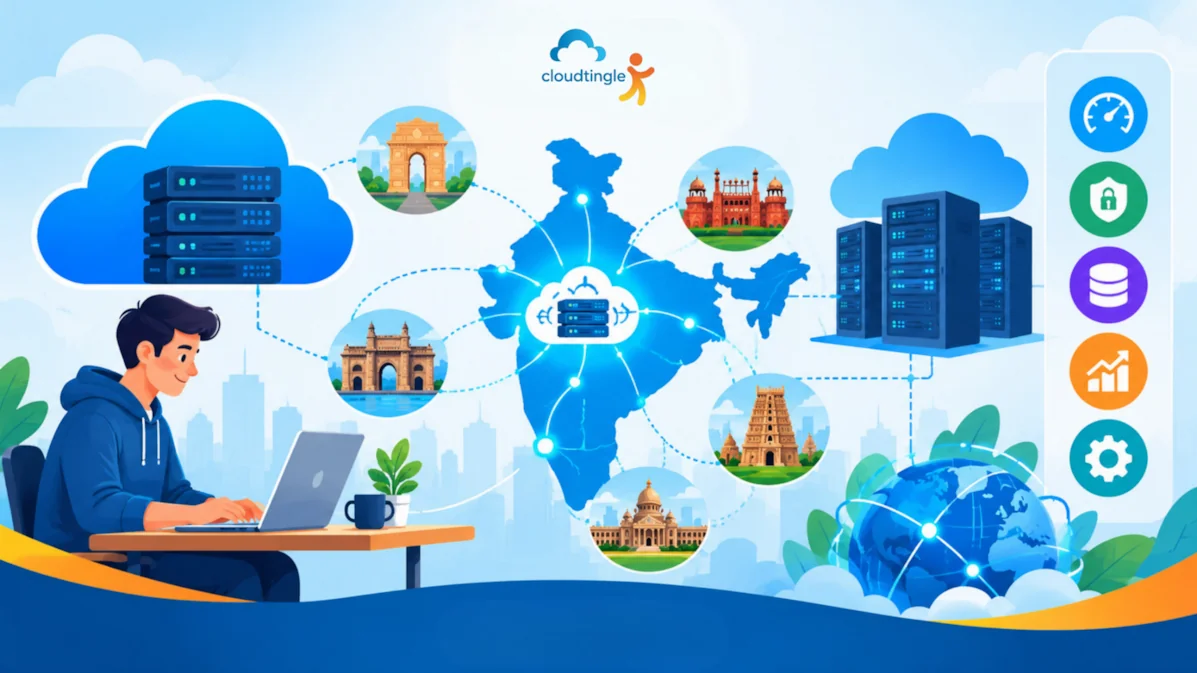
For instance, if your business website is located on a server in Mumbai, and you have a lot of customers in Delhi, Pune, Bengaluru or Hyderabad. Their internet provider may have to go through many hops to reach your server, this can impact response time. Visitors might be able to enjoy faster and more reliable access if there are efficient connections between the networks.
Peering does not ensure speed of any website, however, it is an important component of an Internet-based host environment.
Why Does Peering Matter For Indian Businesses?
Indian companies also have customers in multiple cities, and sometimes these customers are served using mobile networks that may have different types of connection. A fast website on one server can feel slow on another.
Having a good network connection can help to minimize latency, which is the time it takes data to reach the visitor from your server. This is especially beneficial for websites that require frequent database queries, online stores, booking systems, business dashboards, and SaaS applications.
Assume that a customer is on an online transaction. As this checkout page continues to communicate with your server repeatedly, even if it’s not that much, it can feel slow. These delays can be mitigated by improved routing of networks.
There is also an improvement in consistency when peering. Traffic can use a different (shorter or less congested) path through the city. The reality would vary depending on the networks involved, server placement, routing decisions, and infrastructure quality, however.
Does Better Peering Mean Higher Hosting Costs?
Not necessarily. One aspect of a hosting provider’s infrastructure is how they connect to the network, and typically, this is not a service you need to buy separately for your regular website.
To give you an idea of the pricing for entry-level cloud hosting plans in India, they can cost approximately ₹500–₹2,000 per month and for more powerful configurations, it can go up to ₹2,000–₹10,000 or even higher per month. These are general prices, and not set prices. The actual pricing will vary based on CPU, RAM, storage, traffic allowances, managed services and support.
For a small company website with less traffic, a cheaper package might be adequate. If your online store or application is expanding, it might require additional resources and improved network performance.
If you are considering plans, inquire from your Cloud Hosting Provider about the locations of their servers, network connectivity, bandwidth limits, and data traffic policies. Remember that by itself, the most expensive plan doesn’t necessarily have the best routes, and the cheapest plan doesn’t necessarily have the fastest.
How Does Peering Affect Speed And Reliability?
Peering can facilitate data to flow through a shorter path, which may help to minimize latency and bypass certain network congestion. This can make websites more responsive to users that are on networks that can peer efficiently with the hosting network.
However, there are factors other than networking that affect page speed. Delays are caused by large images, non-optimized code, excessive use of RAM, slow database queries, and overloaded CPUs. A site that is located on a well connected server can be slow if the application isn’t optimised.
Another factor to consider is reliability. While peering can offer alternative routes to circumvent issues with a connection, it cannot ensure 100% uptime. The health of the server, redundant connections, the power system and monitoring, and maintenance practices of the hosting provider are also important.
Before selecting a plan, be sure to see if the provider has an uptime guarantee and clarifies what that means. Test your site from various cities in India (if possible) and also at various times of the day. Don’t trust only the marketing claims; use real performance measurements.
What Should You Look For In A Hosting Provider?
It isn’t promises that build trust, it’s information and consistent service. Ask the length of time a provider has been in operation, if their information is easily verifiable, and if the provider has a history of satisfied customers.
Inquire about the servers’ location and if the provider has used respectable network partners. If the majority of your customers are in India, a data center in India could minimize network distance, but it all depends on where your user base is located.
You should also ask if the provider provides performance monitoring, clear and shared resource limits and maintenance details. The cloud hosting company should be able to articulate its infrastructure in plain English without offering unrealistic promised speeds.
There’s no need to have a complex enterprise network for every small business. You’ll need infrastructure to match your audience, application and traffic volume.
Is Help Available When Something Goes Wrong?
Even a well set up server can have problems. There could be a software update that makes a website unresponsive, a database that is being overloaded or a network problem that will hinder access to the site.
Look into the support team’s availability before paying for. In case orders are placed outside working hours for your website, 24/7 technical support can be beneficial. Make sure you understand that support involves; Server offers, OS problems, network connectivity problems, backups or application-level support.
Make sure there is an easy way to report emergencies and to receive timely information. Even if the company offers technical support, don’t take it for granted that it will be available around the clock. Read the terms of the plan and the response time.
Security, Backups And Room To Grow
While convenient, good connectivity shouldn’t compromise security. Pay attention to features like firewall, periodic security updates, access controls, SSL/TLS support, and common network attack protection. The scope of protection will vary according to the plan.
There’s a special place for backups. Confirm frequency, retention period, extra cost of restoring backed up data and ability to keep a separate copy of backed up data. The only thing useful about a backup is that it can be recovered if necessary.
Consider growth, as well. Your start-up can start with a basic website and then expand to customer accounts, an online store or business application. Depending on the cloud infrastructure provider’s platform, CPU, RAM, or storage capacity can be increased as needed.
Keep a close watch on performance as traffic increases, not just improve hardware. Some latency issues might be resolved by network peering, and more server resources might be required to overcome CPU or memory limitations. Knowing the difference can help save time and money and avoid unwanted changes.
Securing Linux Cloud Servers>>
Making The Right Choice For Your Business
One of the hidden factors that can impact the performance of Cloud servers in India is Network peering. While well-designed connections can enhance response times and provide a more reliable path to your site for visitors, other factors like server resources, application design, security, and network reliability also play a part in the results.
First, you must determine the location of your customers, what your website looks like now, and your budget. Check out server locations, response times, support terms and even ask questions about connectivity. A good cloud hosting company will ensure that you know the pros and cons of the products you are purchasing and will not try to force you to purchase more than you need.
If you are considering cloud hosting India for your business, make sure to research a couple of options that are suitable, and then seek information about their networking infrastructure. Select the right option that meets your needs now and will continue to grow with you. Requirements will always be reviewed as your business and customer flow grow.