
Building flexibility into the business with a cloud server is fantastic but to protect data, more is needed than keeping the server running. Both snapshots and backups serve as helpful recovery options, but in different ways. Knowing the difference can prevent businesses from suffering from unforeseen data loss, downtime, or recovery hassles.
What Is A Cloud Server Snapshot?
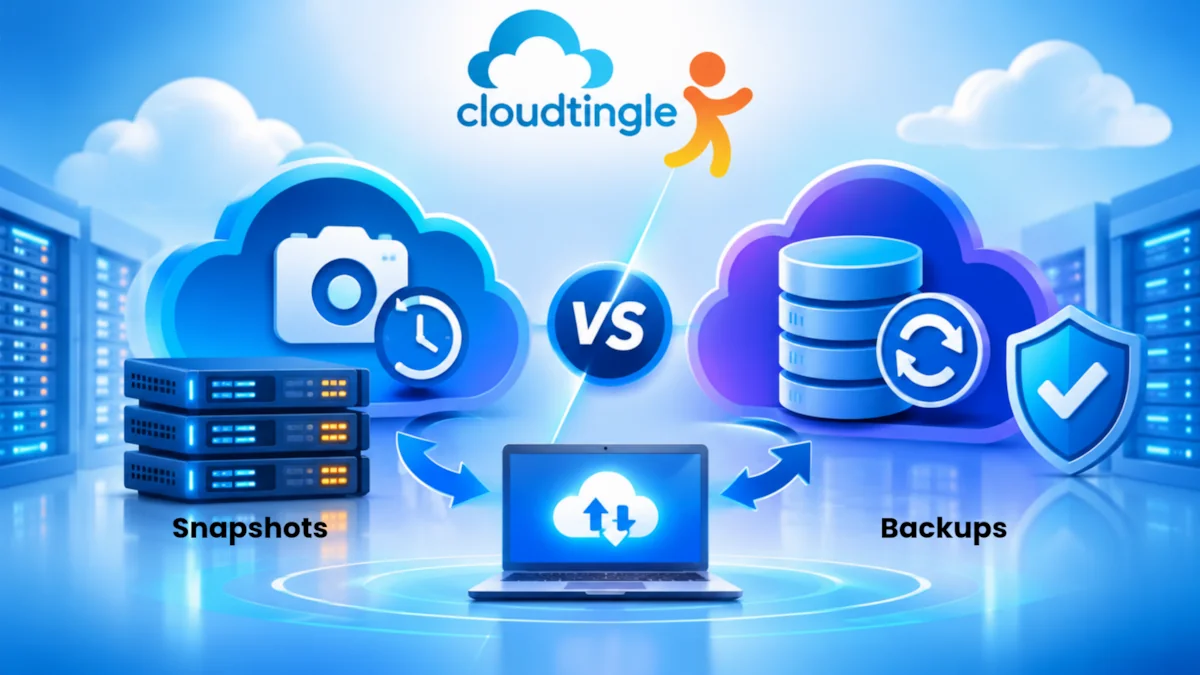
A snapshot is a snapshot of the disk or storage state of a cloud server at a specific time. It makes a snapshot of the server data and configuration at a specific time and lets administrators roll the server back to its previous state at that time.
Snapshots are frequently used prior to major changes, such as installing software, upgrading an operating system or changing server settings. A snapshot may be useful to roll back a server if there are issues with an update.
But, not all snapshots are independent copies of your data. Some rely on the original storage system or incremental storage systems. The availability, as well as their retention, is also subject to the hosting provider.
A snapshot is best viewed as a convenient recovery point, rather than a full disaster recovery plan.
What Is A Cloud Server Backup?
Backup is an extra set of data that is made to recover in case the original data is lost, corrupted, or unavailable. It can consist of files, databases, applications, server configurations, or systems as a whole, depending on the backup solution.
Backups may be kept away from the primary server, which is often another location or storage. This separation is especially crucial when the original server has hardware failure, accidentally lost data, been corrupted by ransomware, or a serious event happens.
Generally, a reliable backup solution will provide you with the following features: scheduled backups, retention policies and restoration options. These features allow businesses to recover files or systems from various snapshots.
Snapshots Vs Backups: The Key Differences
Generally snapshots are created for the purposes of rapid rollback and short-term recovery. They can be handy if you are trying to test out server changes or if the update failed.
Backups are intended for more comprehensive data protection and recovery over a longer period of time. They can assist with recovering information from when it gets accidentally deleted, corrupted, or when the infrastructure fails.
The key differences are:
- Purpose: Snapshots are a good way to recover at convenient moments while backups are a good way to ensure there is no loss of data.
- Storage: Snapshots can rely on the underlying cloud storage, backups can be stored independently.
- Recovery: Snapshots can be very helpful to restore the server to a specific state in a short time. Backups can be used for file-level, database-level or full-server recovery.
- Retention: Snapshots typically have a shorter retention period and backups may have a longer retention.
- Disaster protection: A snapshot may not be preserved if there is a significant incident with the infrastructure. An independent backup will provide more protection.
The details of what you can do with Snapshots and Backups is different for each cloud provider, so look into exactly what they offer.
Why Businesses Need Both
Snapshots and backups are not synonymous.
Suppose you’re in a business that’s upgrading their e-commerce application. Taking an image before the update will give you a convenient rollback point to fall back to in case the application does not work.
Now picture an employee accidentally deleting the customer records several days later. Those records may not be the most recent records available from the earlier snapshot. A backup with suitable retention could provide a better recovery option.
In India, the following issues should be taken care of while designing a cloud backup plan: Accidental deletion, Cyber attacks, Server failure, and Business continuity. Snapshots plus independent backups can be used to solve various recovery scenarios.
Cloud Server Backup Best Practices
A robust data protection strategy should have the following practices:
- Use the 3-2-1 backup plan: Three copies of important data, stored on two different media or storage methods, and one offsite copy. This helps to minimize the chance of an accident affecting all copies.
- Schedule backups: Automated backups minimize manual processes and ensure consistent protection.
- Test backup frequently: If they can’t be recovered, why bother with them? Run recovery tests periodically to ensure that files, databases and applications function properly.
- Secure backup access: Implement good authentication, limited access and where possible, encryption. Think about taking the backup that can’t be modified or set in isolation, to minimize the risk of ransomware.
- Establish daily, weekly and monthly retention policies: Determine the number of days, weeks or months backups should be retained according to business needs and any requirements.
These are some of the top server backup practices and procedures that make backup storage an effective recovery procedure.
Choosing Cloud Hosting For Backup Needs
In the evaluation of the cloud hosting India providers, it’s crucial for companies to go beyond the specs of the server. Look at backup frequency, snapshot availability, storage location, retention options, recovery support, and if backup is included or not.
Understanding the cloud hosting price is also important. There are times when the initial server cost does not cover backup storage, other snapshots or recovery services. Look at the total price of data protection, not just the basic hosting price.
Small company websites or startups can also make use of cheap cloud hosting when it supplies appropriate security and backup choices. The important thing to realise is the constraints and keep copies of any important data separate.
To find a backup solution for small business India, the first thing you need to do is determine which information is critical, the amount of downtime you can tolerate, and how much recent information the business could survive without.
Frequently Asked Questions
1. Are cloud server snapshots the same as backups?
No. Snapshots are a snapshot of a server or storage at a given moment in time and are generally employed for quick rollback. Backups are copies that are stored for broader data protection and recovery. Snapshots may use the same storage as the original server, depending on how they’re implemented.
2. Can a snapshot protect against server failure?
Not necessarily. If the original server fails, its snapshot image might fail as well. Snapshots can be very helpful recovery points, but independent backups stored separately offer better protection against incidents that impact the entire infrastructure.
3. How often should a cloud server be backed up?
The frequency of backups will vary based on changes to the data and the extent to which the business can afford to lose its data. If your online store is updated regularly, it might need daily or more frequent backups; if it’s a static website, you might only need to backup it regularly. Form recovery targets before deciding on a schedule.
4. Are snapshots useful before server updates?
Yes. Taking a snapshot prior to an operating system update, application installation, or configuration change can help return to the previous state if something goes wrong. But ensure that the snapshot is complete and can be restored, and have regular backups for extra security.
5. What is the 3-2-1 backup rule?
According to the 3-2-1 backup rule, there are three backups of important data, two different media types, and one backup offsite. This way, if the hardware fails, accidentally gets deleted or if there is a local disaster, there’s still a copy somewhere else.
6. Should small businesses use both snapshots and backups?
Yes, when possible. Rollback after server changes can be easier using snapshots; backups give you more complete recovery options. Small businesses need to focus on automated backup, multiple storage locations, access protection, and periodic restoration testing, depending upon their budgets and needs.
Final Thoughts
Snapshots provide simpler server management, backups provide protection for valuable business data. Both cannot be used in place of each other. It is possible to enhance resilience and minimize the effects of unforeseen events by using both together, testing recovery, and keeping back-up copies separately. Don’t pick a cloud server protection plan because of just storage cost, you should choose the protection plan based on workload needs, risk tolerance, and recovery needs.