What about if your business website suddenly goes down during rush hour? You can no longer accept orders, crucial files can’t be accessed by employees, and your support department gets tons of enquiries. Eventually the server is restored, and another issue arises – some of the latest customer records and transactions are missing.
This situation brings up two critical questions that all businesses must ask: How fast can systems recover and what data can you afford to lose?
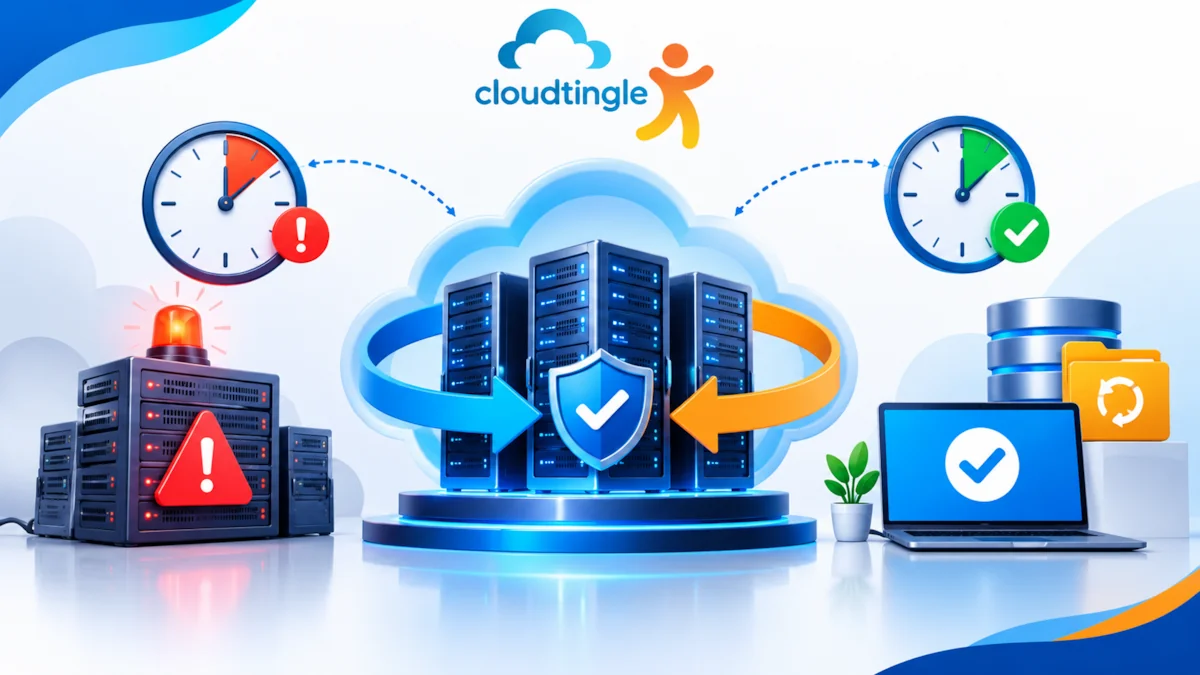
These questions are addressed by two concepts of disaster recovery: Recovery Time Objective (RTO) and Recovery Point Objective (RPO) . It is a good way for businesses to plan for any event that might interrupt the business instead of making hasty decisions during a crisis.
What Is The Recovery Time Objective (RTO)?
The Recovery Time Objective (RTO) is the period of time a business can endure a system or service being unavailable following an incident.
In simple terms, this is the question that is being asked: How fast do we need to be back online?
Suppose you had an online store that would take orders all day long. Each minute it is down, it can impact sales and customer trust. The business could establish an RTO of one hour, which means that the business’s goal is to restore the essential service within 60 minutes.
A small business site with primarily business data might be okay with a few hours of downtime.
The importance of a system to operational activities will determine your RTO. Some payment gateway, customer database, or inventory platform might need to recover faster than an internal application utilized occasionally.
An RTO is also a target of recovery, not a guarantee. The actual recovery time will depend on infrastructure, availability of backup, technical support, and the recovery process which you have prepared.
What Is Recovery Point Objective (RPO)?
The Recovery Point Objective is more about data loss and not availability.
It represents the period of time that can elapse between the last known good data point and when an incident occurs.
For instance, if you have a business database that is backed up every 4 hours. If the server fails just before the next scheduled backup, only as much as 4 hours of the last few transactions will be lost if the previous backup exists.
In this instance, your RPO will be 4 hours.
A business that is making payments regularly perhaps needs a significantly shorter RPO as a loss of some hours of transactions may cause financial and operational issues. If the small business website is just being updated periodically, then a longer time frame could be suitable.
The key is that RPO dictates the frequency of the protection of your data. It enables you to determine if backups every day are enough, hourly backups, continuous data protection, or database transaction log backups are needed.
RTO Vs RPO: Understanding The Difference
These are terms that are related but are solving different problems.
- RTO: RTO is a way to recover.
- RPO: RPO is a concept of tolerable loss of data.
Let’s take an ecommerce business where the server goes down at 3 PM.
The business has a 2 hour RTO. That is, its objective is to bring back “life-saving services” by 5 PM.
The RPO is 30 minutes. It uses data restoration to restore information to a maximum of 30 minutes prior to the event.
Both targets matter. Having the website restored as soon as possible is not sufficient if a few hours of customer orders have been lost. Likewise, if the business requires two days to restore its application, it’s not much help if they have an updated backup.
A good disaster recovery plan takes into consideration both objectives in the appropriate ratio depending on the significance of each system.
How Much Downtime Can Your Business Actually Afford?
The universally accepted definition of acceptable downtime is none. This is driven by business type, expectations of customers, revenue streams and requirements.
A couple of hours of downtime for an informational website can be an annoyance, but not a disaster. Even if it’s for a few hours during a big sale day, an online store can lose orders.
Perhaps a business-critical database or a financial services application needs far more stringent recovery goals.
The first step is to determine the priority of services that need to be restored. Now think about what would happen if you didn’t have access to each service.
Ask yourself:
- What would be the cost of that hour of downtime in dollars?
- Is it possible for staff to operate without the impacted system?
- How much of the data for recent customers or transactions can be reconstructed?
- Will it impact the trust or contractual commitments of customers?
- What is the time of your tech team to restore services?
These questions will help to bring abstract recovery targets to life.
How Backups And Cloud Hosting Support Recovery
While backup is one of the pillars of disaster recovery, having a backup does not necessarily mean your business can be recovered fast.
It’s important to understand how and when backups are stored, how often they are made, how long they are kept and how long it takes to restore them.
Cloud infrastructure can offer helpful options for recovery, as businesses might be able to spin up replacement resources without having to wait for physical resources to be installed. But recovery speed is still dependent on architecture, data size, network capacity and configuration.
While comparing the cloud hosting India providers, do not consider storage space and guaranteed performance. Inquire about backup plans and recovery support, infrastructure redundancy, monitoring, and service-level agreements.
Backup storage, data transfer costs, snapshot retention and recovery costs are also important considerations when assessing the cost of a cloud hosting service. The initial price might not cover all of the services required for reliable recovery.
Likewise, simply selecting the lowest price cloud hosting service due to the monthly charges may be a bad call, if the backup and recovery choices or support do not meet your company’s needs.
Practical Steps To Improve Your Recovery Plan
You don’t need to establish a sophisticated business disaster recovery framework in order to start. The potential value of a structured approach does exist.
1. Point out crucial systems: Make a list of applications, databases, websites, and files that are indispensable for your operation.
2. Set achievable Recovery Time Objectives (RTO) and Recovery Point Objectives (RPO): Determine how quickly each system must return and what maximum amount of the latest data may be lost.
3. Schedule backups: It’s essential to determine periodicity of backups based on the rate of changes in the information.
4. Keep backups separate: Store backup copies separately from the main computer. It’s reasonable to think of offline or unchangeable back-up copies to mitigate the risk of the ransomware.
5. Check restoration: It is essential to carry out recovery tests to verify the possibilities of data restoration.
6. Write down responsibilities: Make sure that all team members know who contacts the hosting organization, who does and monitors the restoration process.
Documenting recovery strategy will not be enough; it should be checked regularly, especially after substantial changes in the network infrastructure or application.
Why Recovery Testing Matters
A backup might seem to be a success when it is incomplete, corrupt, or hard to restore. For this reason, recovery testing is equally important as backup scheduling.
Attempt to restore the database to a new environment and see if there are application files, correct configurations, and user access to key functionalities.
See how long it takes you to do it. If your objective is a two-hour RTO but it takes you six hours to restore the database, then you have a problem with your recovery strategy.
Testing will help you spot some real-world issues including missing credentials, out-of-date documentation, not enough space, or not enough technical support.
Plan For Recovery Before An Incident Happens
RTO and RPO are referred to as terminology in the IT industry; however, they also impact customer satisfaction, loss of revenue, and uninterrupted service to keep business going.
In order to create a sensible recovery process, understanding important services, creating a reasonable recovery goal, having reliable backups, and testing everything are required.
One’s ideal state will vary according to the business scope. For instance, small businesses do not require the same level of recovery services as large commercial operations do, but all companies need to know what to do when it comes to reacting to crisis situations.
Finally, it does not aim at getting rid of possible problems; it aims at making sure that when a crisis takes place, the business knows what to do in order to resume operating.